| |
Description |
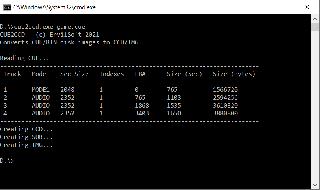
| | CUE2CCDA command-line utility that converts CUE disk images (.CUE) to the Clone CD format (.CCD).
UsageDrag and Drop Method - Locate your .CUE file in File Explorer
- Drag and drop the .CUE file onto the CUE2CCD executable
- Wait for the conversion to complete (the command window will close automatically)
- Find your converted files in the newly created CCD folder, located in the same directory as your original .CUE file
Command Line Interface Bash: | | | cue2ccd <cue-file> [destination] |
Parameters - cue-file: (Required) Path to the .CUE file you want to convert
- destination: (Optional) Custom output directory for the converted files. If not specified, files will be saved to a CCD folder in the source directory
Output FilesThe conversion process will generate the following files:
- .ccd: Clone CD format descriptor file
- .img: Binary image data
- .sub: Subchannel data
 |
|