| | | Originally posted by Taelon@May 11, 2003 @ 10:55 PM
Your best bet would be to convert the bin/cue to iso/wav, and make the iso a Mode1/2048 (cooked) track. Then check the region code again. Make a new cuesheet with Sega Cue Maker and burn away... |
Why not convert your "MODE1/2352 + AUDIO" BIN+CUE to a "MODE1/2048 + AUDIO" BIN+CUE instead of ISO+WAV+CUE? It's less files to deal with than ISO+WAV+CUE and it keeps the cue intact.
Here's what you do:
- Open the cue sheet (from your raw BIN+CUE) with CDmage 1.02.1 beta 5
- File --> Save As... --> type in a new name when prompted
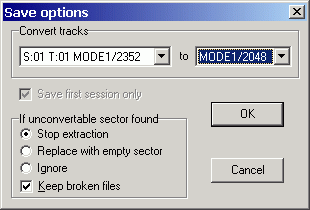
- Under Save options, convert Track 01 MODE1/2352 to MODE1/2048
- OK
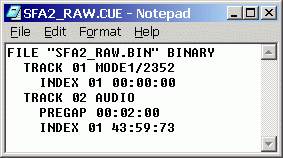
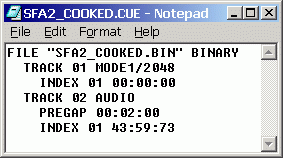
What you're essentially doing is converting SFA2_RAW.BIN + SFA2_RAW.CUE to SFA2_COOKED.BIN + SFA2_COOKED.CUE, for example.
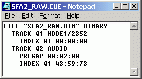  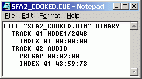
The goal is to convert just the first data track inside the mixed mode BIN file from raw to cooked (i.e., 2352 to 2048). This should solve the patching raw sectors problem when using SatConv or SCDConv.  |