
| Home | Forums | What's new | Resources | |
| How to play Soul Caliber Video from SegaExtreme ? |
| Biene_Maja - Oct 19, 2003 |
 |
Biene_Maja | Oct 19, 2003 | |
| Can anyone say me which codec or player i need to play the "Soul Caliber" Video from the Sega Extreme Site ? Thx for your Answers  | |||
 |
racketboy | Oct 19, 2003 | |
| in explorer, right click on the file and select properties. then go to the summary tab. it will tell you what codec it needs | |||
 |
MasterAkumaMatata | Oct 19, 2003 | |
| You need the DivX... codec as indicated by the Format on the download page. | |||

|
Biene_Maja | Oct 20, 2003 | |
| Thx for the answers I already have DIVX Codec 5.1, but WinMediaplayer says an "unkown error" and the DIVX Player from that site only plays until 1:23 after that time the vid stops  | |||
|
MasterAkumaMatata | Oct 20, 2003 | |
| Try using Media Player Classic found here.... The latest version should be version 6.4.6.7. | |||
|
Biene_Maja | Oct 20, 2003 | |
| The player says the video is only 1:25 long | |||
|
MasterAkumaMatata | Oct 20, 2003 | |
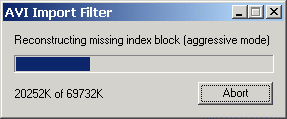
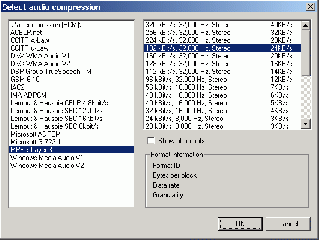
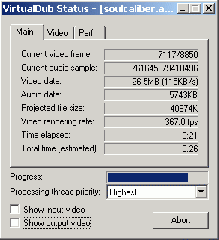
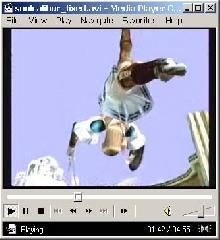
Hehe, I'm getting 1:25 with Media Player Classic as well. What you could do is
| |||

|
Biene_Maja | Oct 20, 2003 | |
| Many thanx for ur answer :bow Worked perfectly Now i can watch this cool piece :banana | |||
|
MasterAkumaMatata | Oct 20, 2003 | |
| No problem. Oh, here's one more shot I took for those of you who are curious. :thumbs-up: http://superakuma5k.homestead.com/files/sx/soul6.j... | |||

|
Biene_Maja | Oct 21, 2003 | |
| Hehe I think the movie downloads will explode now :biglaugh | |||
|
mal | Oct 21, 2003 | ||
Interesting pic. :lol: | ||||
 |
ChiBangin101 | Dec 8, 2003 | |
| Thanks MasterAkuma, I love this video. | |||