
| Home | Forums | What's new | Resources | |
| GDMenu & OpenMenu HD Theme Manager (All-In-One Package) v1.31b |
| RazorX - Mar 17, 2020 |
| Prev | 1 | 2 | 3 | 4 | 5 | 6 | 7 | Next |
 |
RazorX | Jan 8, 2026 | ||
| RazorX updated GDMenu/OpenMenu HD Theme Manager (All-In-One Packa... with a new update entry: GDMenu HD Theme Manager (All-In-One Package)...
Read the rest of this update entry...... | ||||
|
RazorX | Jan 8, 2026 | ||
| RazorX updated GDMenu/OpenMenu HD Theme Manager (All-In-One Packa... with a new update entry: GDMenu HD Theme Manager (All-In-One Package)...
Read the rest of this update entry...... | ||||
|
RazorX | Jan 11, 2026 | ||
| RazorX updated GDMenu/OpenMenu HD Theme Manager (All-In-One Packa... with a new update entry: GDMenu HD Theme Manager (All-In-One Package)...
Read the rest of this update entry...... | ||||

|
RazorX | Jan 12, 2026 | ||
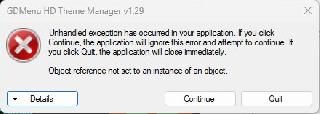
i've found the source of the problem, i'll take care of it. | ||||

|
RazorX | Jan 12, 2026 | |
| it should be sorted now. | |||
|
RazorX | Jan 12, 2026 | |
| added some new themes for the folder style layout on openmenu | |||
|
RazorX | Jan 16, 2026 | ||
| RazorX updated GDMenu/OpenMenu HD Theme Manager (All-In-One Packa... with a new update entry: GDMenu & OpenMenu HD Theme Manager (All-In-One Pac...
Read the rest of this update entry...... | ||||
|
RazorX | Jan 16, 2026 | ||
version 1.30 just dropped and it's a big one, so i'd download the full version of that and enjoy  | ||||
|
RazorX | Jan 17, 2026 | ||
| RazorX updated GDMenu & OpenMenu HD Theme Manager (All-In-One Pac... with a new update entry: GDMenu & OpenMenu HD Theme Manager (All-In-One Pac...
Read the rest of this update entry...... | ||||
|
RazorX | Jan 17, 2026 | |
| did a small update that fixes the themes updater so it now both downloads the conf files as well as the missing themes in one go like it used to. | |||
|
RazorX | Jan 18, 2026 | ||
| RazorX updated GDMenu & OpenMenu HD Theme Manager (All-In-One Pac... with a new update entry: GDMenu & OpenMenu HD Theme Manager (All-In-One Pac...
Read the rest of this update entry...... | ||||
 |
Tongara | Jan 19, 2026 | |
| Hi, I made a theme for the new OpenMenu "Folders" style... Hopefully it can be included in your app~ "Clockwork Knight" - Download Here... Preview: 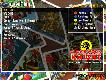 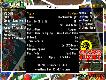 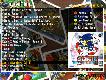 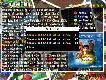 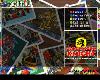 | |||
|
RazorX | Jan 19, 2026 | ||
| RazorX updated GDMenu & OpenMenu HD Theme Manager (All-In-One Pac... with a new update entry: GDMenu & OpenMenu HD Theme Manager (All-In-One Pac...
Read the rest of this update entry...... | ||||
|
RazorX | Jan 19, 2026 | ||
| RazorX updated GDMenu & OpenMenu HD Theme Manager (All-In-One Pac... with a new update entry: GDMenu & OpenMenu HD Theme Manager (All-In-One Pac...
Read the rest of this update entry...... | ||||
|
Tongara | Jan 19, 2026 | ||
Hi, right there in the post the last image is the raw PNG file. If there is something else you need could you give me an example please? | ||||
|
RazorX | Jan 19, 2026 | |
Update (20/01/2026)
| |||
|
RazorX | Jan 19, 2026 | ||
i found it, unfortunately you're using the old template/layout, when i try to use it as is nothing lines up. the purple frame is the new layout overlaid on top of your theme. 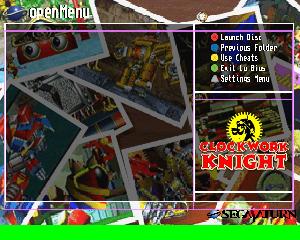 please use the very latest all in one package by me which includes the template and all the new apps, settings, openmenu etc you can use my theme preview generator to see for yourself, just place your theme in Assets\Custom\Clockwork Knight_Folders.png | ||||
|
Tongara | Jan 19, 2026 | ||
Hi, I used Template 1.1 right from the Github Repo at openMenu-Virtual-Folder-Bundle/theme_template at m.... The THEME.INI file included with my theme has the correct locations for all the text and images. I am also using the latest OpenMenu, as I was one of the testers. | ||||
| Prev | 1 | 2 | 3 | 4 | 5 | 6 | 7 | Next |