
| Home | Forums | What's new | Resources | |
| Translating Grandia 1.1.1 |
| TrekkiesUnite118 - Sep 9, 2018 |
| Prev | 1 | ... | 12 | 13 | 14 | 15 | 16 | ... | 48 | Next |
 |
TrekkiesUnite118 | Aug 22, 2019 | ||
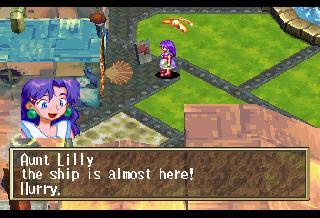
I use JVC Taiyo Yudens. Also I have the Item Get screen fixed, it will be in the next patch release: 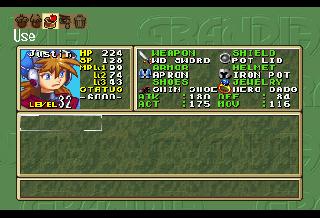 | ||||

 |
nanash1 | Aug 23, 2019 | ||
Did the hours digits vanish or did the game timer reset? I noticed that the timer reset several times during my play-through. I never gave it much thought, but thinking about it now that behavior seems a bit weird. | ||||
|
TrekkiesUnite118 | Aug 23, 2019 | ||
Please report these kind of things when they happen. No matter how minor it seems if I don't know the issue happens I can't look into it to fix it. The worst that's going to happen is I'll tell you it's not a legitimate issue if I can't reproduce it. Do you remember about where these issues occurred in your playthrough? Was it with certain maps? Or was it when you changed to different patch versions? Or did you recently replace the battery in your Saturn? | ||||
|
nanash1 | Aug 23, 2019 | |
| My battery recently went flat and I haven't bothered to replace it yet. Since I did the FRAM mod my save games aren't affected. I don't think the timer resets weren't related to the battery since it happened several times at different points in the game. Should it happen again, I'll keep a save game before and after. Although I think I'm nearly at the end of disk 2. | |||
|
nanash1 | Aug 23, 2019 | |
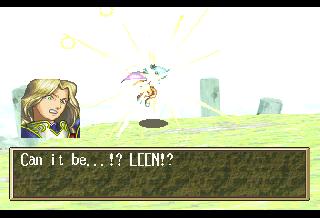
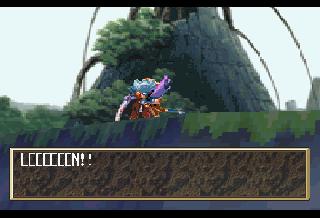
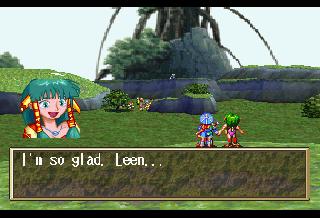
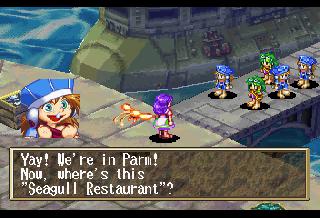
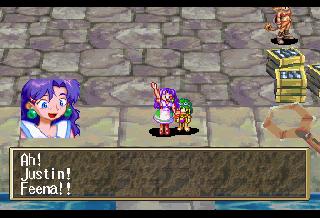
I've found a game freezing bug. In the Icarian City after defeating the Gaia Battler boss you meet Feena and Mullen. The game freezes after Mullen challenges you to a fight. I've attached the debug screenshots from the closest savepoint:
| |||

|
TrekkiesUnite118 | Aug 23, 2019 | |||||
The battery also controls the real time clock, and if that's used at all for determining gameplay time in save files I could see a dead battery causing that issue. The FRAM mod could also be causing weird things as well for all we know. Has anyone using a stock system seen this behavior?
Ok, I'll need to get a save near that spot, but then I can look into it. I'm guessing it's a similar issue to other hang ups that have happened around boss battles before. | |||||||
 |
kitty666cats | Aug 23, 2019 | |
| I'm really confused, I'm using high quality CD-Rs and it is still hanging on the start menu when I select new game. All my other games burnt on inferior CD-Rs (got some TYs today for comparison) are running flawlessly, Shining Force 3 took no time at all loading the intro video and the console itself makes no noise, it seems to be in great shape. Is there something I'm missing, I'm following the instructions in the ReadMe to a T and copying over the .cue from the patch folder after everything has been extracted, patched, and renamed "GRANDIA.___". I can open the patched .iso in YabaSanshiro just fine, but the .cue I copied and pasted into the Session1 folder from the patch folder won't open in Yaba. EDIT: Meanwhile, SSF opens the .cue from the patched Session1 folder and runs the game. Maybe it is my Saturn, it's just odd since it's not struggling with anything else. Got the matching pre and post patch checksums. | |||
|
TrekkiesUnite118 | Aug 23, 2019 | ||||
I'll give it a try when I get home today. It's been a couple weeks since I last did a real hardware test myself so I'll give it a go and let you know how it goes. For sanity though I know I'm not the best at explaining things at times, so try referring to this video and following these instructions:
| ||||||
|
kitty666cats | Aug 23, 2019 | |
I've tried following that video to a T as well, right now I'm burning an unpatched copy of Grandia to test on my console... could possibly be an issue with the latest Disc 1 patch, I will edit this post in a few minutes and let you know  EDIT: Alright, my Saturn couldn't get past "new game" in an unpatched copy either. So basically it's either my laser struggling, Pseudo Saturn Kai (latest version), or the fact that my laptop can only burn as low as 10x | |||
 |
Ars | Aug 23, 2019 | |
is there a tool to decomp/extract the saturn .mdt files? I want to check a pilot demo for mega cd ver leftovers, like this one | |||
|
TrekkiesUnite118 | Aug 23, 2019 | ||
There's tools on my Github for it, but to be honest I didn't really care much about the stuff other than the script. So the parts after the script are just labeled what I thought they were and they're not really broken up into their individual parts. So you'll have to dig further into those parts yourself. | ||||
 |
Golecom | Aug 23, 2019 | |
Hello Trekkies. First of all i want to say thank you for taking your time to translate the saturn version of Grandia, it's something i wanted for a long time. Now i want to report someting i noticed, maybe it's nitpicky from me but there are some caracters in the text that are missing or messed up. Like many pointed out the music notes and the hearts. I leave here some screenshots of what i mean. I had to take the shots from youtube videos for the psx version.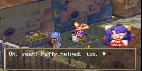 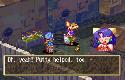 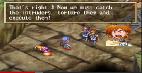 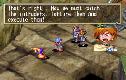 | |||
|
TrekkiesUnite118 | Aug 23, 2019 | ||
I am aware of this, the issue is that the font ordering is slightly different on the Saturn. While I can decompress the 8x16 font, I have not tried re-compressing it after editing it. I'd just wish people would stop reporting them as weird "Japanese characters" when it's clear they're music notes and the like. | ||||
 |
snatcher1996 | Aug 24, 2019 | |
| I am sorry, but it wasn't obvious to me. I also wasn't aware these things had been reported before. I can see that it is stressful having the same things reported over and over again so I'll pay better attention next time. Thanks for your efforts. | |||
|
TrekkiesUnite118 | Aug 24, 2019 | ||
Don't take it the wrong way, I'm not mad about it. It's just kind of a cringy face palm moment for me when I see it being reported as Japanese characters. | ||||
|
kitty666cats | Aug 24, 2019 | |
| Ke from the Shiro podcast is totally awesome and helped me figure this issue out, looks like he also couldn’t get past the title menu on the original release. Interestingly, the 4M revision worked for him. Looks like it may not be my Saturn after all. Heck of a finicky game, I’ll have to keep trying different steps or maybe an older patch Edit: the 4M rev he tried was not patched. It may be the patch that’s giving me troubles, soo many variables in this equation! | |||
|
kitty666cats | Aug 24, 2019 | |
| Looks like the culprit is my red 3 in 1 cart! Dang I wish I kept my AR | |||
|
TrekkiesUnite118 | Aug 24, 2019 | ||
Ok, I have the hangup after Mullen challenges you fixed. I spent a bit more time on this one since it was so close to the end of the game that I wanted to see if there were anymore. And thankfully there weren't any!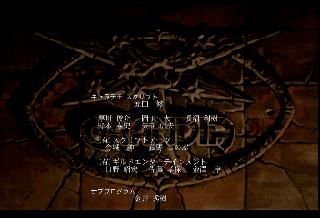 
So assuming that Nanash1 didn't skip around and got to this point legitimately, I think it's safe to say with this release the game can be completed. There still could be some issues as there are optional areas and the like in the game that may not have been tested yet. So I'll refrain from upping the version to 0.60 for now. But here are the new patch releases: Disc 1 Version 0.62 -Translates the remaining Japanese text in the Item Get screen. Disc 2 Version 0.52 -Translates the remaining Japanese text in the Item Get screen. -Fixes Hang up when Mullen challenges Justin. | ||||
| Prev | 1 | ... | 12 | 13 | 14 | 15 | 16 | ... | 48 | Next |